AI video generation stuck? How to diagnose a queued or failed render
Find out why an AI video render is stuck. Use the job ID, provider status and local download checks to choose whether to wait, fix or retry a single shot.
What each model costs per second and per episode, how app credits compare with API prices, and how to set up keys without surprise bills. Prices are checked every month.
10 guides · updated 1 Nov 2026
Per-second prices by model and tier, with the date checked.
Find out why an AI video render is stuck. Use the job ID, provider status and local download checks to choose whether to wait, fix or retry a single shot.
Compare Google Cloud rates for Standard and Fast, with the audio and resolution settings that affect cost.
 Alex Mercer · · 6 min read
Convert the 720p list rate from Runway credits and see when input video changes billing.
Alex Mercer · · 6 min read
Verify account access, model settings and the amount charged for a representative shot.
Alex Mercer · · 6 min read
Episode budgets, credits versus API, and key setup.
Compare the cost per usable shot, including extra takes and any unused subscription allowance.
Alex Mercer · · 6 min read
Rates depend on the provider, endpoint, resolution and audio mode. The table gives examples and the date checked.
Read the answer: AI video API pricing in 2026 and a sample 46-shot budget
The sample budget comes to $21.88 for generation, or $25.16 with a 15% retry reserve. Add stills, audio and editing separately.
Read the answer: How to budget for a 46-shot AI episode
Compare the price per usable shot on each plan. Include the subscription fee, used allowance and any billed rerenders.
Read the answer: How to compare app credits with API costs
AI video prices change often and are quoted in different units: credits, seconds, tokens. A fair comparison needs one unit, the cost of a usable second, and a date.
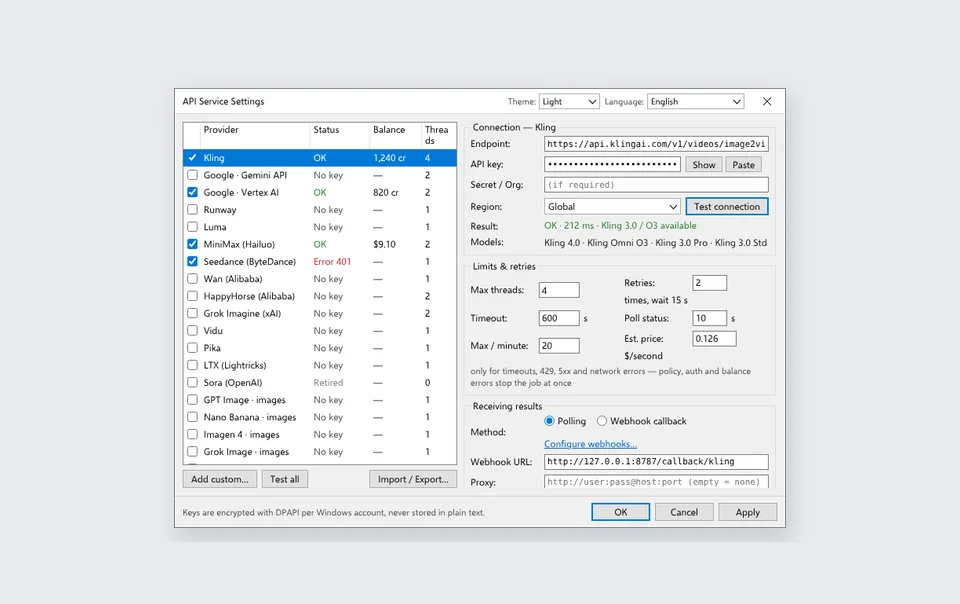
The guides here give dated prices, episode budgets and the setup for each service’s keys and billing.