Download
Trust center

What you install, who makes it, and where your work goes.

Everything a careful buyer, enterprise IT administrator, Windows security check, or Google/Meta ad reviewer asks about Scena Studio — verified publisher identity, network endpoints, SHA-256 build integrity, and local-first privacy architecture.

Checksums for every build Read the privacy policy
No other programs in the installer No analytics or ad trackers in the app Connects to four places, listed below Uninstalls from Windows Settings

Who makes it

Alex Mercer “I make animated episodes, and I built this because shot 46 kept breaking. Every page on this site is written by me, and every email to the address below is answered by me. If something here is unclear, that is a bug too.” Alex MercerMaker of Scena Studio
Publisher details
Published byScena Studio LLC Registered inUnited States Contactsupport@scenastudio.app Privacy & DPOprivacy@scenastudio.app Security reportssecurity@scenastudio.app Building it sinceMarch 2025
The same registered entity name appears as the verified publisher across all release packages and SHA-256 verification manifests.

How Scena Studio meets Google’s software principles

Google’s Unwanted Software Policy is the bar Chrome and Safe Browsing use for anything you download. Here is each principle, what the app does about it, and whether it is done.

PrincipleWhat Scena Studio doesStatus
A clearly labelled download One download button per file. Nothing starts downloading when a page opens. Done
Says what it does, before it installs The installer’s first screen describes the app in plain words and names everything it will put on the PC. Done
No hidden or bundled software The installer carries Scena Studio and the .NET 10 runtime it needs, both named on screen. Nothing else, ever. Done
Verifiable publisher & build integrity Published by Scena Studio LLC, registered in the United States. Every installer build ships with a published SHA-256 cryptographic checksum and a public multi-engine VirusTotal report on the download page. Verified
Licence and terms are linked Next to every download button, and on the installer’s first screen. Done
Data collection is disclosed Four destinations, listed below. No analytics, and crash reports leave only when you press Send. Done
Easy and complete removal One entry in Windows Settings. It removes the app and, if you tick the box, its settings and saved keys. Done
Updates ask first The app tells you a new build exists and installs it only when you say so. Done
No changes to your system No browser, proxy, startup, driver or security settings are touched. Nothing runs when the app is closed. Done
What the installer puts on your PC
The appProgram Files\Scena Studio One shortcutStart menu; a desktop icon only if you tick it Settings%APPDATA%\ScenaStudio Your API keysIn that folder, encrypted for your Windows user Nothing elseNo service, no startup entry, no driver, no browser extension
How to remove it
1 Open Settings → Apps → Installed appsFind Scena Studio in the list. 2 Choose UninstallTick “Also remove my settings and saved keys” for a clean PC. 3 Your episodes stayThe folders you chose for your projects are your files, so they are never deleted.

Where your work goes

Sign-in serverWhen the app opens: your account and licence, nothing about your projects. The AI services you chooseEach shot goes only to the service it is queued on, under that service’s own terms. Update checkOn launch: the version number, nothing else. Bug reportsOnly when you press Send, after showing you exactly what is attached.
Never
Analytics or tracking inside the app Ads, or ad SDKs Selling or sharing your data Training anything on your prompts or footage
Cryptographic Release Verification

Release 1.1.0 MD5 & SHA-256 Checksums + Multi-Engine VirusTotal Audit

scena-studio-1.1.0-setup.exe (50.8 MB)
MD5: 42fd1fb12135febdc092c67bd767d0b4
SHA-256: 92bb0dbbb532e5fe45b5e194cc3be9479b119519e6eb5deb8131822eafed0b69
scena-studio-1.1.0-portable.zip (45.1 MB) / .msi (45.2 MB)
ZIP MD5: c5c29793297d1998179e48f1a33669ed · SHA-256: 59073369d41c0a248d7081d64a34a305520cee1fb7620ca925fe81132ba71a13
MSI MD5: 8f8434c70fc05e72c6192eb2b49e6913 · SHA-256: c60e074ba9796d9e0931c8fb87bf7029e75593789671db685a8b4983f49adc27

Exact addresses, for firewalls and IT

Allow these and the app works; block them and nothing else breaks on your PC. Every connection uses HTTPS on port 443, and the app opens no ports of its own.

AddressWhat forWhen
auth.scenastudio.appSign-in and licence checkWhen the app opens
updates.scenastudio.appUpdate check and downloadsOn launch, and when you accept an update
reports.scenastudio.appBug reportsOnly when you press Send
The API address of each AI service you useThe shots queued on that serviceWhile a queue runs; listed per service in Tools › API services

How updates arrive

  • Offered, never forcedThe app shows what changed and waits. A project mid-episode can stay on its build.
  • Checked before it runsThe update downloads over HTTPS and its SHA-256 must match the published list before the installer starts.
  • Signature checked, once signing is liveA file whose hash or signature does not match is deleted, not run.
  • Older builds stay availableEvery earlier build stays on the download page with its own hash.

Report a security problem

  • Where to writesecurity@scenastudio.app, also listed at scenastudio.app/.well-known/security.txt. Include the build number and the steps.
  • When you hear backA reply within 3 working days, and for anything serious a fixed build or a public note within 30 days.
  • Testing in good faith is welcomeTest on your own install and account. Do not access other people’s data or disrupt the service.
  • CreditReporters are thanked by name in the changelog, if they want to be.

Security

Keys encrypted on your PCAPI keys are encrypted with Windows DPAPI for your user account and never sent to us. Encrypted connections onlyEvery connection the app makes uses HTTPS. Check the file you gotEach build has its SHA-256 and a VirusTotal report on the download page. Report a vulnerabilityWrite to security@scenastudio.app. A first reply within 2 working days, credit if you want it, and it counts as a usable report.

Your data, your choices

See, export or deleteOne email to support@scenastudio.app. Deleting the account also releases every activation. How long anything is kept90 days after an account is closed, then deleted. Not for childrenScena Studio is designed for adults and commercial creators (18+). No personal data is knowingly held about anyone under 18.
Independent, and clear about it Kling, Veo, Gemini, Runway, Luma and the other service names on this site are trademarks of their owners. Scena Studio connects to them through their public APIs and is not affiliated with, sponsored or endorsed by any of them. Each service bills you at its own price; the prices on this site are Scena Studio’s own.
AI Safety, Biometrics & Ad Transparency

AI governance, biometric privacy, and advertising compliance

How Scena Studio protects character reference data, enforces synthetic media safety standards, and complies with Google Ads, Meta, EU AI Act, GDPR, and CCPA.

100% Local GPU Face & Reference Lock

Character face matching, outfit continuity scoring, and reference locks execute 100% locally on your Windows GPU via ONNX Runtime. Scena Studio never extracts, uploads, or stores biometric facial geometry or voiceprints on its servers (Privacy Policy §06).

Zero AI Model Training & 100% Output Ownership

We never train AI models on your scripts, prompts, voice audio, or video episodes. You retain 100% commercial ownership of all episodes produced on your PC, including full monetization rights on YouTube, TikTok, and client work (Terms of Use §09).

Strict AI Safety & Synthetic Media Disclosure

Our Acceptable Use Policy strictly prohibits CSAM/CSAE, non-consensual deepfakes (NCII), and unauthorized biometric cloning, and requires compliance with YouTube/TikTok synthetic media labels and EU AI Act Art. 50 (Terms of Use §07–§08).

Google Consent Mode v2, GPC & 14-Day Refund

Website ad/analytics tags default to denied under Google Consent Mode v2 and honor Sec-GPC: 1 (Cookie Policy §03). All paid plans include a 0% BYOK API markup and an unconditional 14-day money-back guarantee (Refund Policy §07).
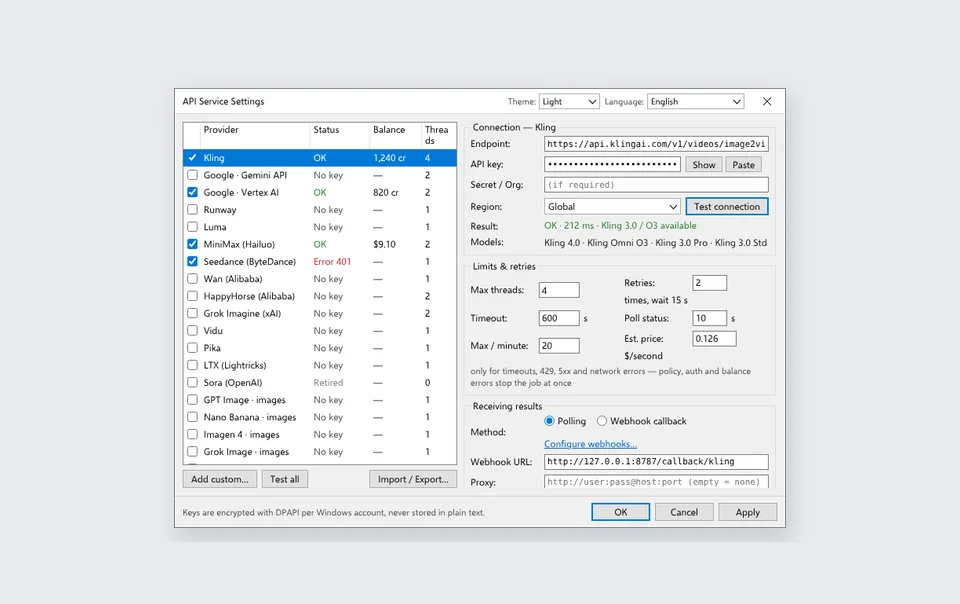
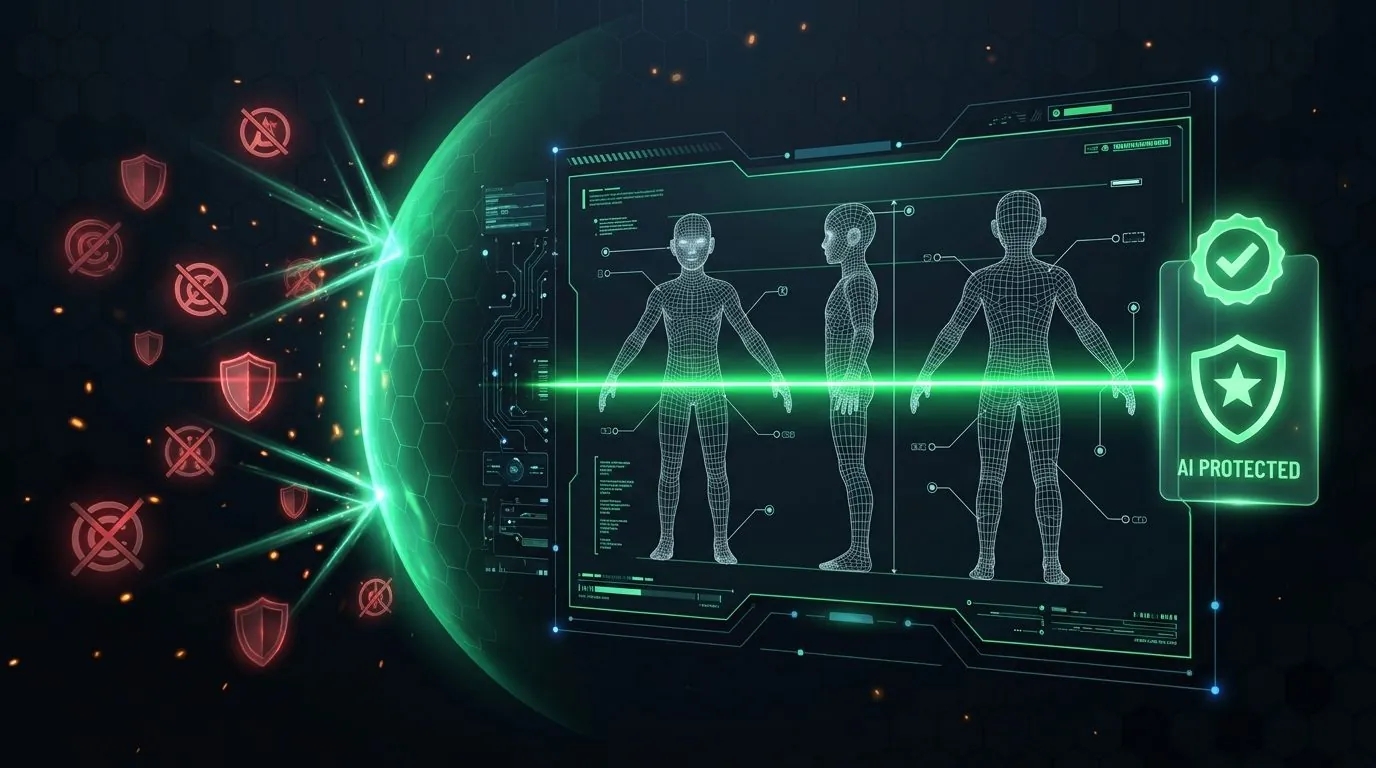
Visual verification: Local DPAPI key encryption & TM/Copyright Pre-Flight Shield

Local Windows DPAPI encrypted API keys screen
Zero Cloud Key Relay: Your API keys are encrypted with Windows `CryptProtectData` (DPAPI) tied to your Windows user SID and connect directly to Google, Kling, fal.ai, or OpenRouter.
Pre-Flight Trademark and Copyright Shield scanner
Channel Commercial Safety: Local GPU Trademark (TM) & Copyright scanning + exported Human-Direction Audit Logs protect your YouTube YPP and Meta Reels monetization standing.