From a fresh install to a finished episode.
Eight steps, the screen each one happens on, and the mistake that costs money at that step. Read it once before the first episode; after that the reference at the bottom is the part you come back to.
Last updated 29 Oct 2026 · written against 1.1.0The eight steps
This is the order the app is built around. Skipping step five is the one that shows up on the invoice.Installing for the first time? Every Windows screen, with a screenshot, is in the setup guide.
Install and sign in
Settings API services Run the installer and sign in. Scena Studio covers shared API use at the start of the Open Test on enabled services and sets no per-user quota on that usage. Provider rate limits and availability apply. Once shared access ends, you must use your own API keys. Your provider may charge for usage on your own keys. Add your own key under Tools → API services. Scena Studio protects the saved key with Windows DPAPI.Watch out. Test every key before you queue anything. A key that reads a balance of zero will accept jobs and fail each one, and the retry budget goes with it.
Create the episode
New episode Give it a code (EE012), a title, a folder and an aspect ratio. Scena Studio builds the folder tree — ref, output, audio, export — and every path in the app is relative to it, so moving the project never breaks it.Worth doing. Use the episode code in the folder name too. When you are nine episodes in, EE012 in the path is what lets you find a shot from six weeks ago.
Import the script sheet
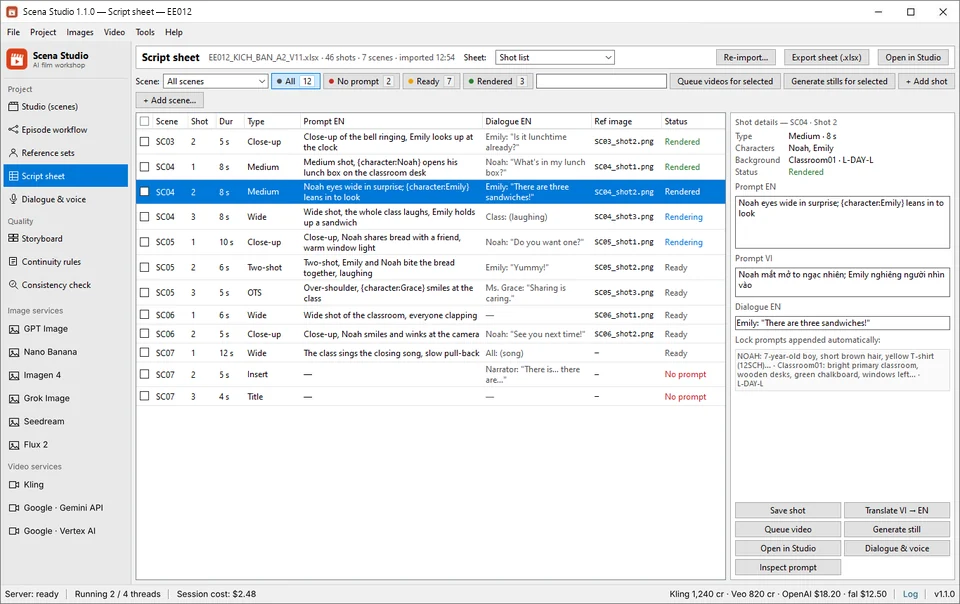
Script sheet Import Point at your Excel or TXT sheet and map the columns: scene, shot, duration, prompt, dialogue, reference. One row becomes one job. The sheet stays the source of truth — re-import it later and only changed rows are re-queued.Watch out. Map the duration column even if every shot is the same length. An unmapped duration silently falls back to the service default, which is rarely what you wanted.
Build the reference sets
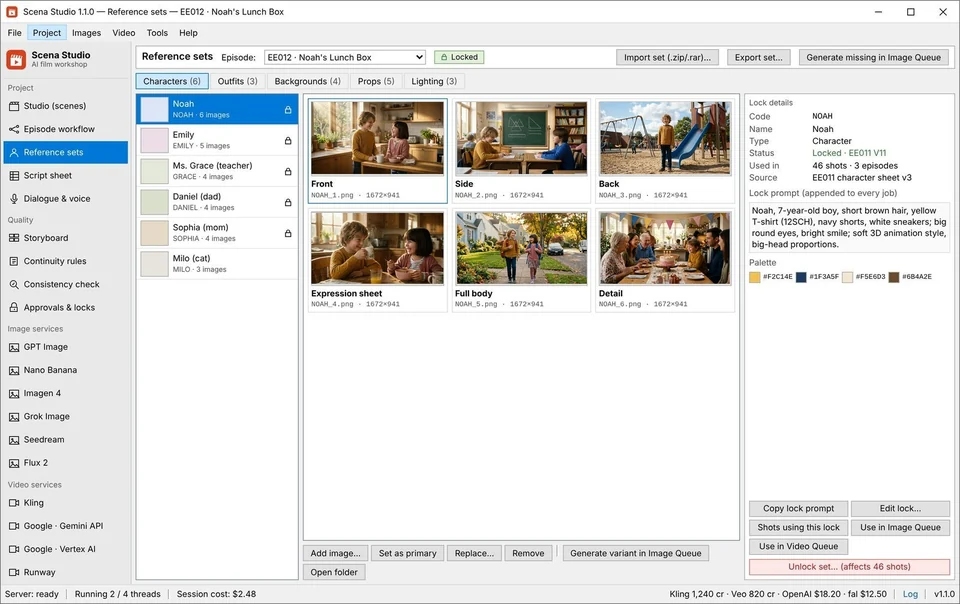
Reference sets Drop in the character sheets, outfits, backgrounds and props, and give each a code (NOAH, 12SCH, Classroom01). These codes are what you type in prompts; the app swaps in the real image path at queue time.Worth doing. Photograph each outfit from the front, side and back before you lock it. Two angles is where face drift starts.
Set the continuity rules
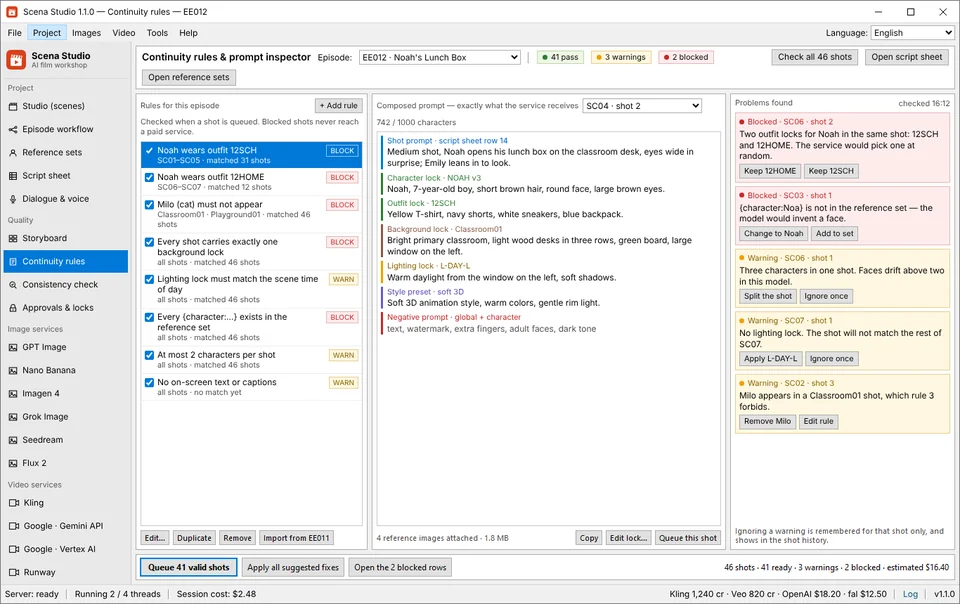
Continuity rules Decide what must never slip: which locks a scene requires, which outfits may not appear together, which props belong to which episode. Rules are BLOCK or WARN, and a BLOCK stops the job before it reaches a paid service.This is the money step. A BLOCK rule is what stands between a typo and forty paid renders of the wrong face. Set the character and background locks as required before the first big queue.
Queue the images, then the video
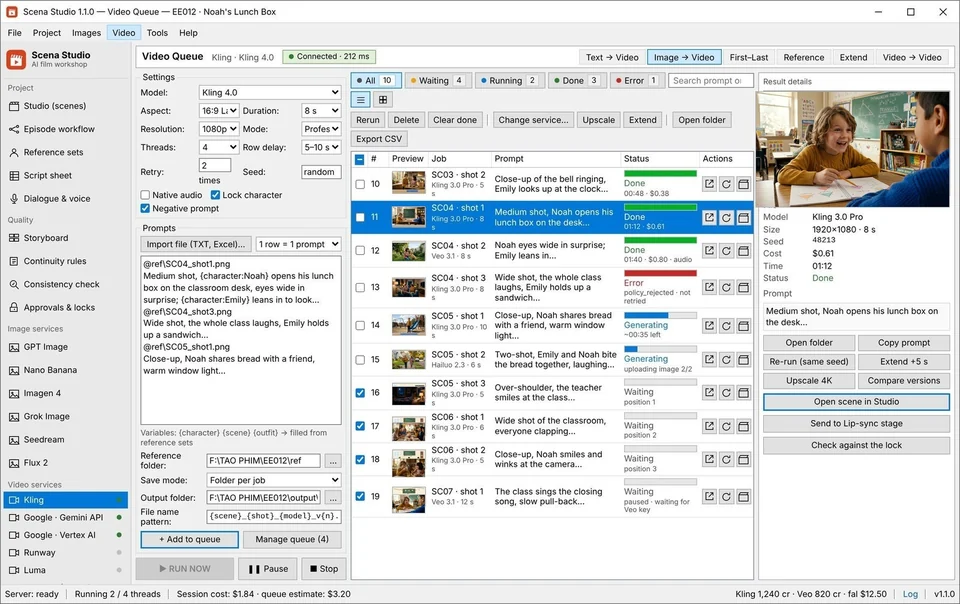
Image queue Video queue Pick a service and a model per shot, set threads and retries, and press RUN NOW. The queue survives a crash, a rate limit or a flat key — jobs resume where they stopped, and a dead key fails over to the next account.This is the money step. Run five shots first and look at them. Then queue the rest. Every expensive mistake in this tool is a mistake that was repeated forty-six times.
Check every clip before you keep it
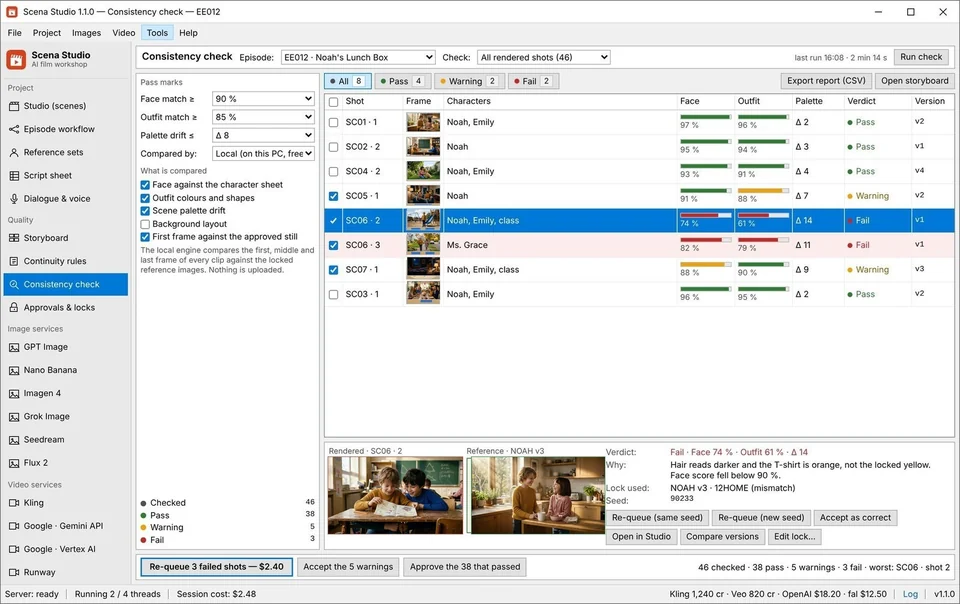
Consistency check Score each rendered clip against its locks on your own GPU: face match, outfit match, palette distance. Anything under the pass mark is flagged, and one button re-queues it on the same seed or a new one.Worth doing. Score the whole episode once, then sort by the lowest face match. The bad shots cluster — usually one scene, one outfit, one service.
Approve, freeze, export
Approvals & locks Export Approved shots are frozen so nothing can overwrite them. If a reference changes later, the sweep lists every shot still on the old version. Then export the episode, or the selected shots, with the audio and subtitles attached.Watch out. Freeze a shot only when you would be happy to ship it. A frozen shot is skipped by every later re-queue, which is the point and also the trap.
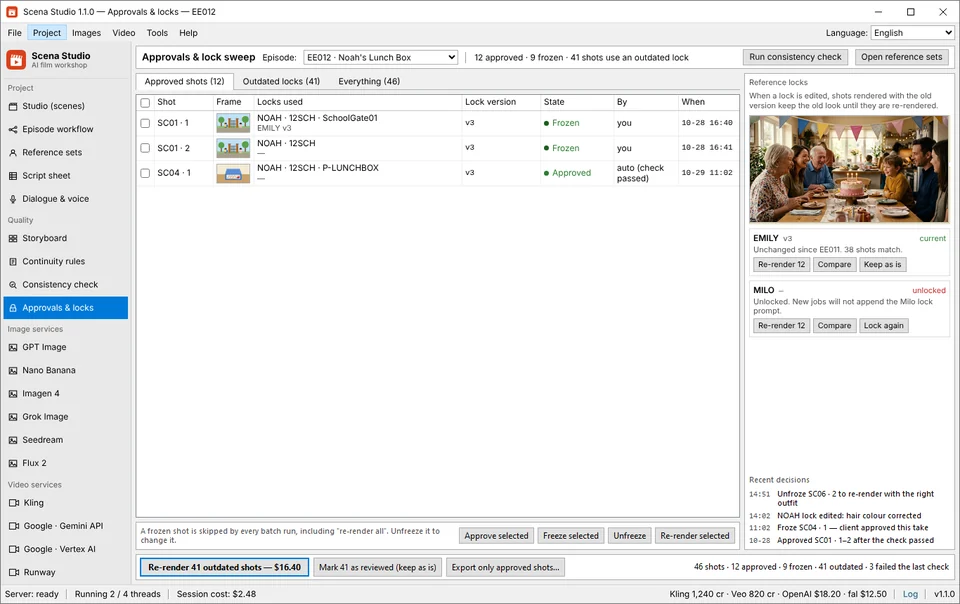
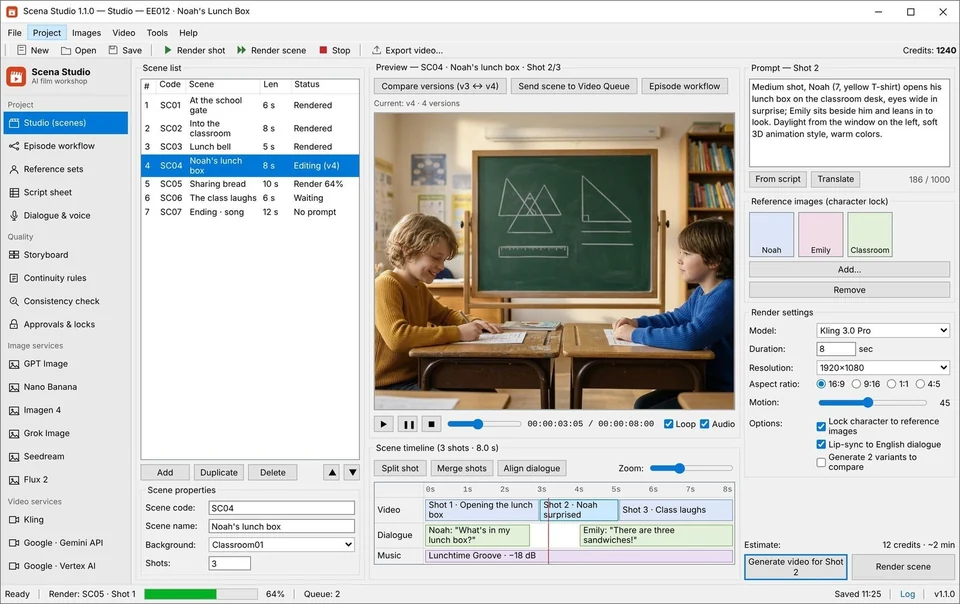
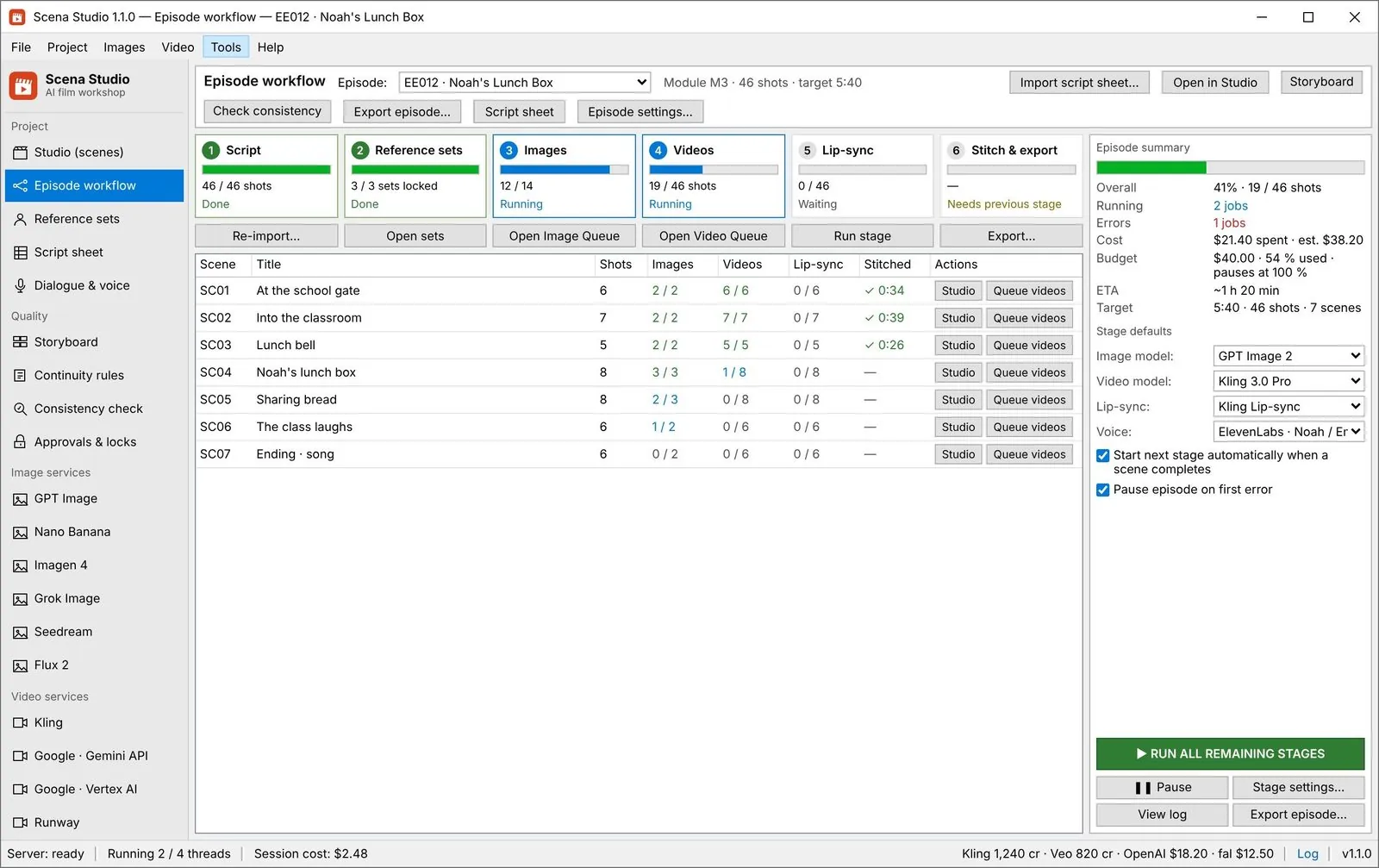
What the key screens look like during a real 46-shot episode run
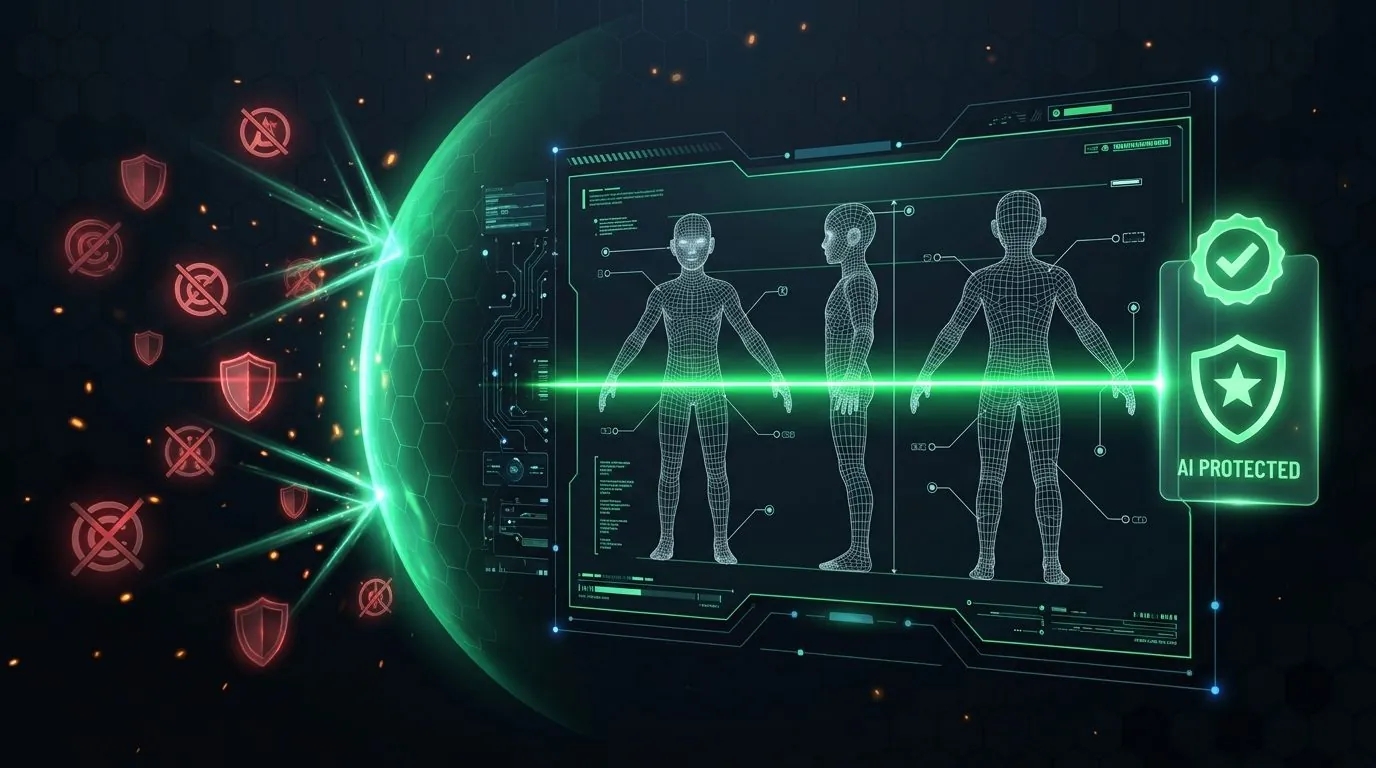
From locking your cast in Reference Sets to auto-stitching 5–8s clips with Last-Frame-to-First-Frame continuity and running the Pre-Flight Trademark/Copyright Shield before exporting 16:9 YouTube and 9:16 Meta Reels cuts:
What an episode looks like on disk
Plain folders and plain files. No database, no container, nothing that needs this app to open.Prompt variables
Type the code, not the path. The app substitutes the real reference image when the job is queued.When something goes wrong
The five that come up most often in the group.The job goes to Error with the reason, not to Retry. Rewrite the prompt in the row and re-queue that one job — nothing else in the queue is touched.