The same face in shot 46 as in shot 1.
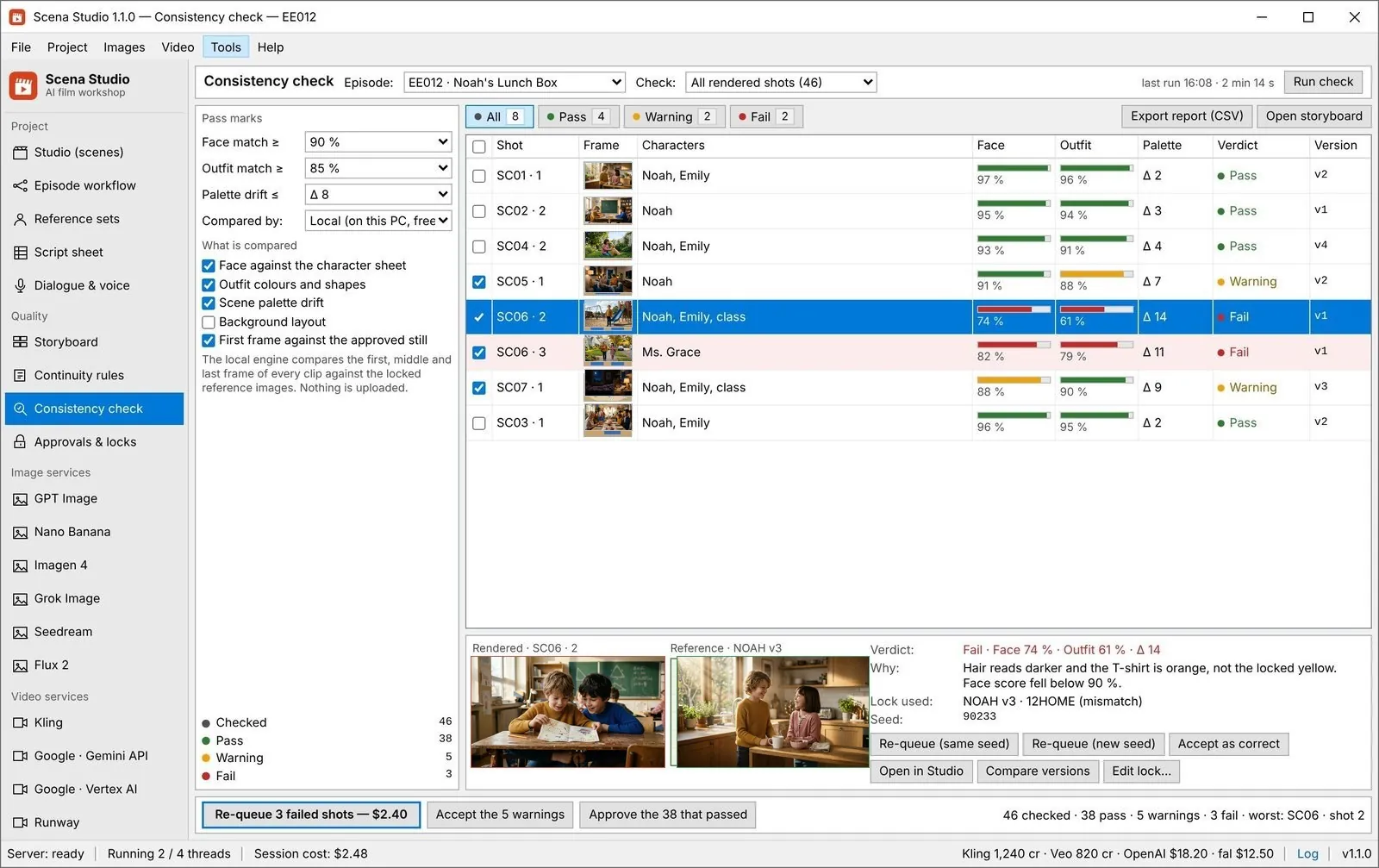
Reference locks put the same image and the same words into every prompt. Continuity rules stop a bad shot before it costs money. The consistency check scores what came back.
In the app: Quality → Reference sets, Continuity rules, Consistency check
What it does
Locks, not descriptions
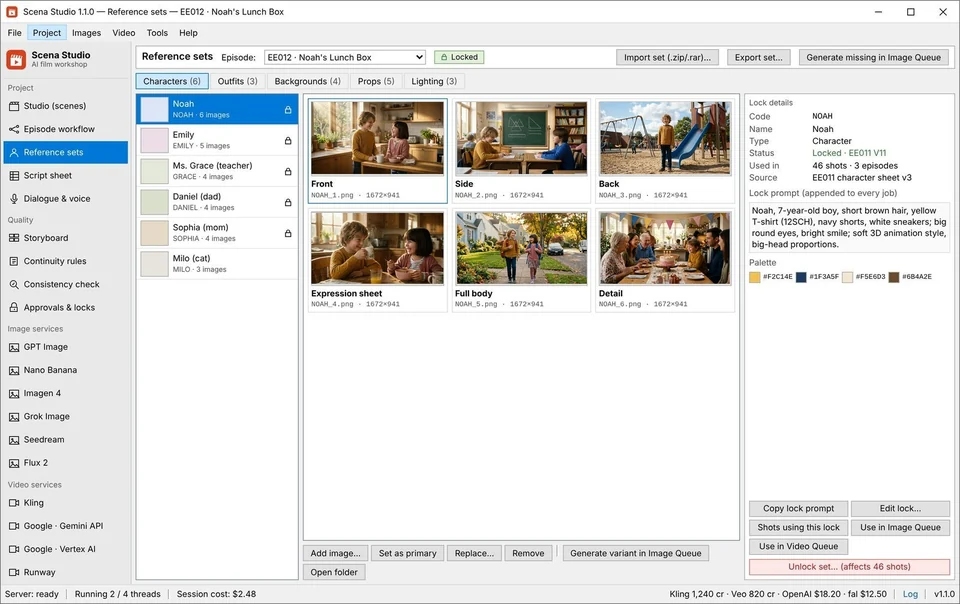
A code such as NOAH stands for one approved image and one fixed line of text, added to every prompt that names it.
Rules before rendering
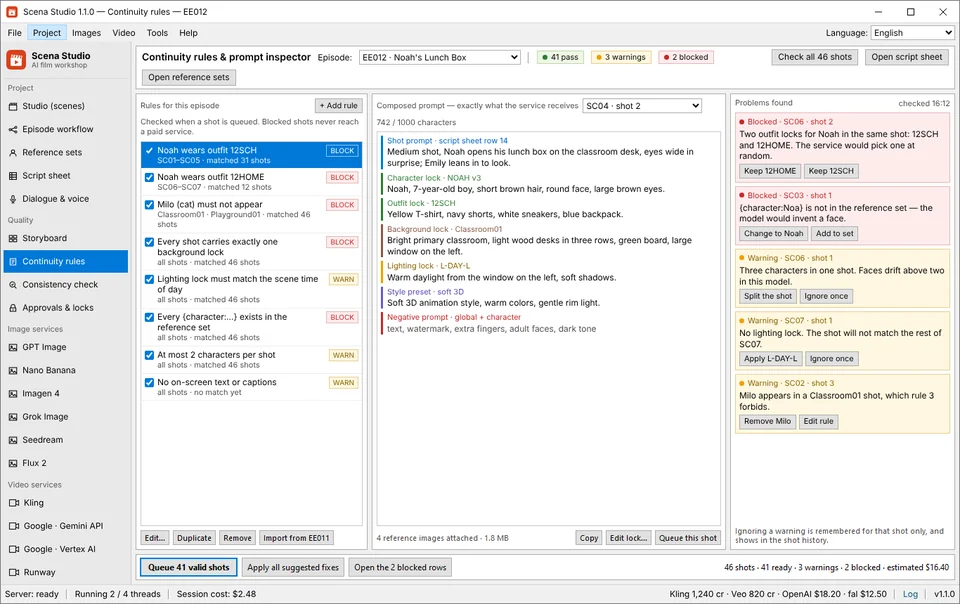
Eight rule types decide what may never slip. A BLOCK stops the job before it reaches a paid service; a WARN lets it through and flags it.
A score after rendering
Face, outfit and palette are scored on your GPU ($0 CIE76 ΔE + 64-bit dHash) or inspected via optional Cloud Vision AI (Gemini 2.5 Flash, Claude Sonnet 4.5, GPT-4o-mini) against your episode pass mark.
-
STEP 01
Build the reference set
Add the approved images for each character, outfit, set and prop, and give each a short code.
Quality → Reference sets -
STEP 02
Use the codes in prompts
Write {character:NOAH} instead of describing Noah. The lock adds the image and the fixed text when the job is queued.
Script sheet, Video queue -
STEP 03
Add continuity rules
For example: a scene in Classroom01 requires the 12SCH outfit, and a shot with no lock is blocked.
Quality → Continuity rules -
STEP 04
Check every clip
Score the rendered shots, re-queue the failures with the same seed or a new one, and approve the rest.
Quality → Consistency check
Settings that matter
- Pass marks
- Face, outfit and palette thresholds per episode, for example face 90% and outfit 85%.
- Rule level
- BLOCK stops the job, WARN flags it. Start with WARN until the rules match your show.
- What is compared
- Face, outfit, palette, background, or the first frame against the approved still.
- Freeze on approval
- An approved take cannot be overwritten by a later batch.
Good to know
- The default check runs 100% locally on your PC ($0); you can optionally enable the Cloud Vision AI Inspector (Gemini 2.5 Flash, Claude Sonnet 4.5, GPT-4o-mini, or OpenRouter) to catch extra fingers, face morphing, or wrong clothing.
- A score is a signal, not a verdict: look at the flagged shots before rendering them again.
- When a reference changes, a sweep lists every shot still built on the old version.
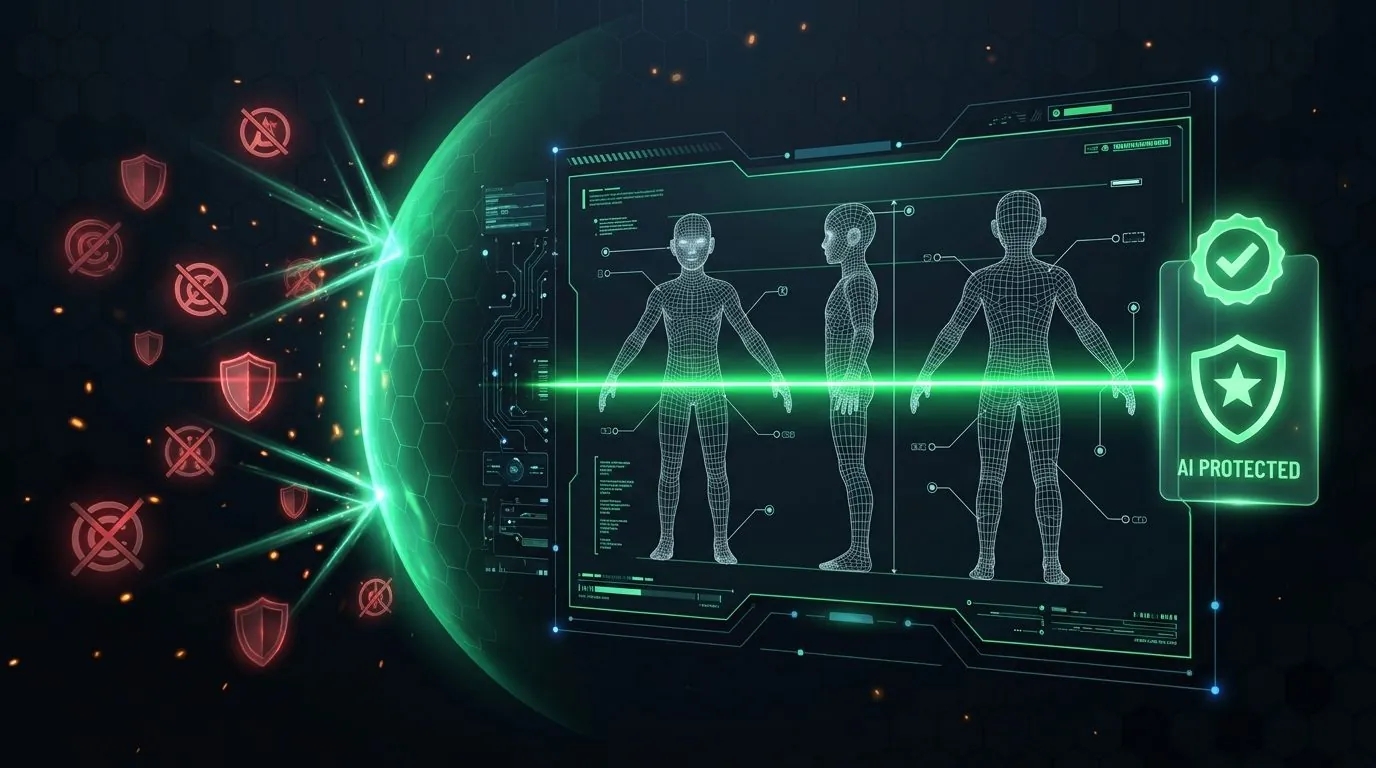
Dual Quality Gate: Local GPU ArcFace Identity Lock + TM/Copyright Pre-Flight Shield
Scena Studio combines two local GPU verification gates before any clip reaches your final timeline: (1) an ArcFace 512-D facial embedding + HSV outfit histogram check (`pass threshold ≥ 0.85`), and (2) a Pre-Flight Trademark (TM), Watermark & Copyright Scanner that protects your YouTube and Meta channels from strikes.
| Production Bottleneck | Standard Web Portal Workflow | How Scena Studio Desktop Solves It |
|---|---|---|
| Facial Identity Verification | Notice face drift only after importing 60 clips into editor | Automated local GPU ArcFace 512-D cosine scoring (`≥ 0.85` pass mark) |
| Outfit & Room Continuity | Shirt color or classroom layout changes mid-scene | 8 Continuity Rules (`BLOCK` / `WARN`) enforce outfit & location pairings |
| Short-Clip Boundary Matching | Hard jump cuts between 5-second clips | Last-Frame-to-First-Frame optical anchor keeps motion continuous |
| Trademark (TM) & Copyright Scan | Accidental brand logos or watermarks trigger platform strikes | Local GPU visual & audio scanner flags TM/Copyright risks pre-upload |
Questions
Does it keep a character the same across different services?
The lock sends the same images and text to each one. How closely each model follows them differs, which is why every clip is scored.
Does the check need a powerful GPU?
Any recent GPU will do; without one it falls back to the CPU and takes longer.
Can it check clips made outside Scena Studio?
Yes. Import the clips into the episode and run the check against the same reference set.