Queue the whole episode and walk away.
The queue lives on disk with every job’s settings. Threads, retries, rate limits and spare accounts are handled for you, and a crash picks up where it stopped.
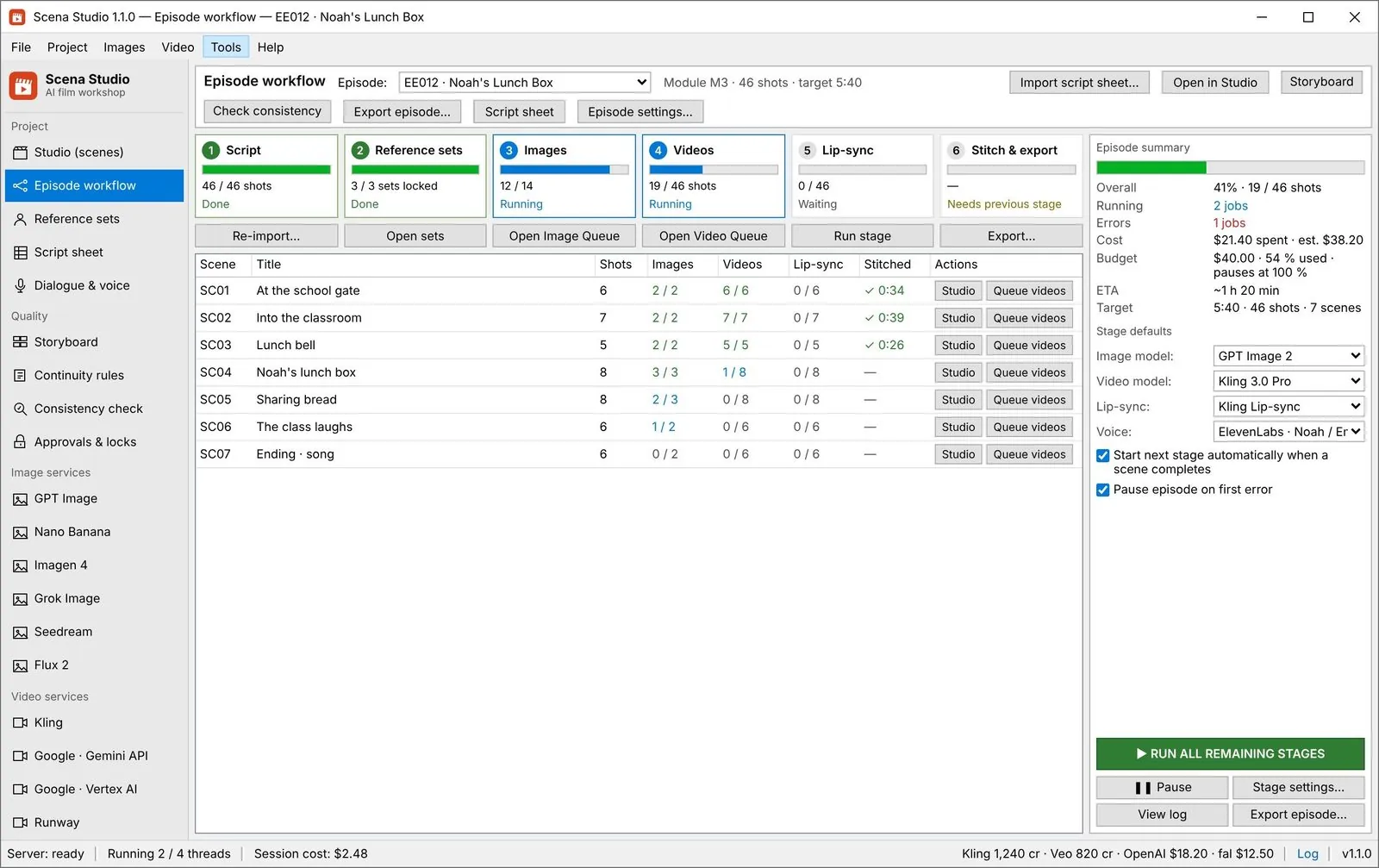
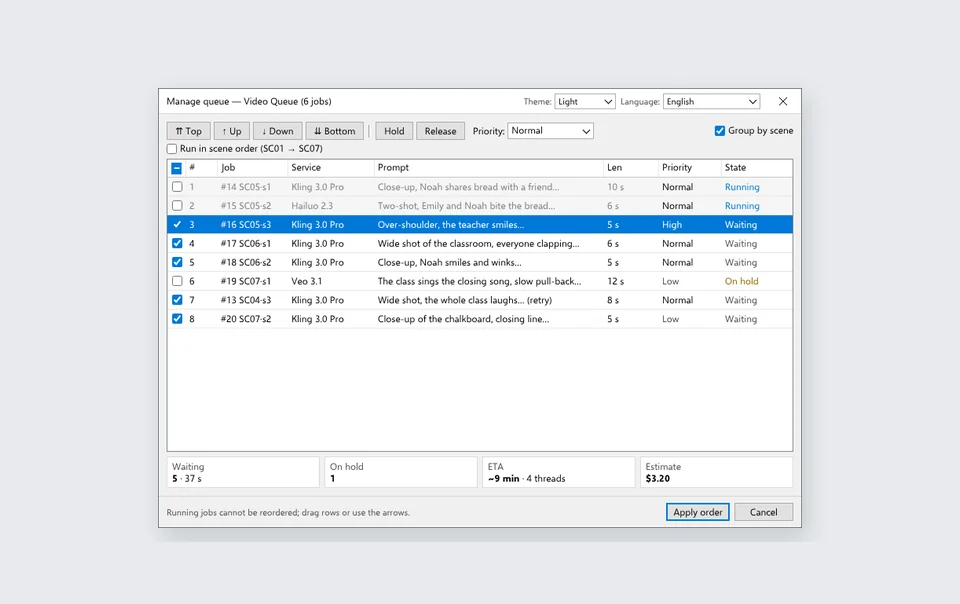
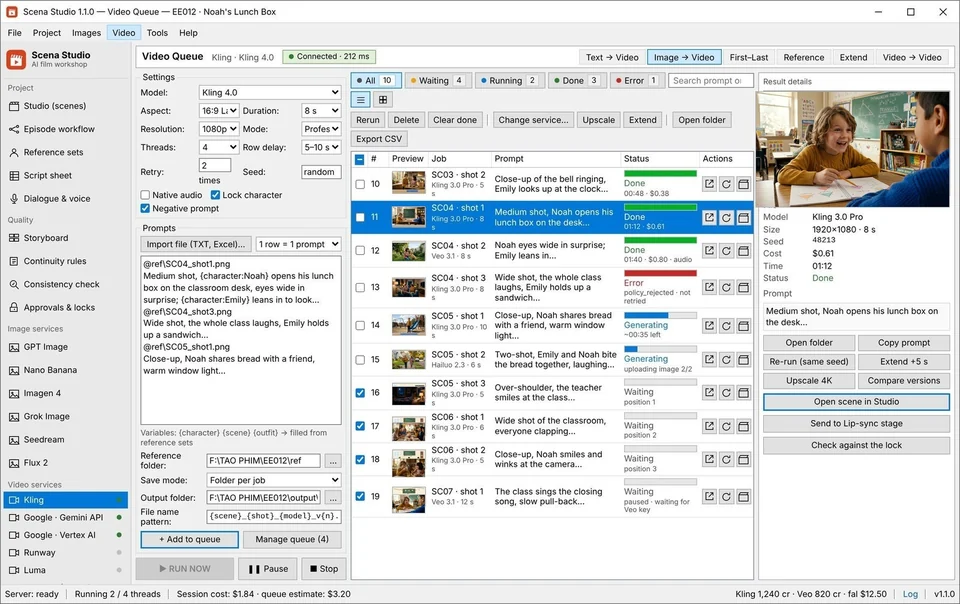
In the app: Tools → Episode workflow, Video → Video queue
What it does
Survives a crash
Jobs and their state are written to disk. A reboot, a crash or a dead key does not lose the run or bill a finished job twice.
Stays inside each service’s limits
Threads per service, a delay between submissions and a retry count keep the queue under rate limits instead of hammering them.
Spare accounts take over
Add several accounts for a service. When one runs out, the next picks up the remaining jobs.
-
STEP 01
Load the episode
Import the script sheet; every shot becomes a job with its prompt, locks and settings.
Video queue → Import file -
STEP 02
Set threads and retries
Choose how many jobs run at once on each service and how many times a failed job is retried.
Settings → Queue -
STEP 03
Add a spare account
Optional: a second key for the same service, used when the first one hits its quota.
Settings → Accounts -
STEP 04
Run the stages
Run images, then videos, then lip-sync, or press RUN ALL REMAINING STAGES and leave it.
Tools → Episode workflow
Settings that matter
- Threads
- Jobs at once per service. Start with the number your plan with that service allows.
- Row delay
- Seconds between submissions, for services that throttle bursts.
- Retries
- How many times a job is retried, and on which errors it gives up instead.
- Pause on error
- Stop the episode at the first failed stage, or keep going and collect the failures.
Good to know
- The app has to stay open while the queue runs; set Windows not to sleep during a long run. If it stops, the queue resumes from the last finished job.
- After the Open Test, the Free plan runs up to 20 jobs per queue run. Creator and Studio remove this batch limit.
- A retry never resubmits a job that already succeeded.
Industrial SQLite WAL Overnight Queue + Multi-Account Key Failover
Browser tabs crash, sleep, or hit HTTP 429 rate limits when you try to render 60 shots in a row. Scena Studio stores every job in a transactional local `SQLite WAL` database on your Windows PC, dispatches parallel worker threads, and automatically rotates to backup API keys if a primary key runs low at 3 AM.

| Production Bottleneck | Standard Web Portal Workflow | How Scena Studio Desktop Solves It |
|---|---|---|
| Crash & Power-Loss Resilience | Closing a browser tab loses your entire queue state | Transactional SQLite WAL resumes from the exact millisecond on relaunch |
| Rate-Limit & Quota Handling | One HTTP 429 error or empty key halts the whole night's run | Exponential backoff + automatic failover across multiple API keys |
| Post-Render Auto-Stitching | Wake up to 60 loose files that still need hours of manual editing | Auto-scores ArcFace, stitches passed clips via FFmpeg, and exports master MP4 |
| Zero Double-Billing | Refreshing a stuck web tab charges credits twice | Idempotent job UUID tracking guarantees you never pay twice for one job |
Questions
What happens if my PC restarts mid-run?
Open the episode again and press RUN NOW: finished jobs stay finished and the rest continue.
How many jobs run at once?
Free runs one job per service at a time, Creator four, and Studio as many as the service allows.
Can I change the model for jobs already queued?
Yes. Select them and use Change service; the prompt, seed and references stay with each job.