Your download has started.
scena-studio-1.1.0-setup.exe, 50.8 MB, for Windows 10 and 11 (64-bit). Three screens stand between you and the first shot.
Nothing happening after a few seconds? Download again · Get the portable ZIP instead (45.1 MB)
What happens next
Every screen, with screenshots-
1
Open the installer
Click scena-studio-1.1.0-setup.exe in your browser’s download list, or open it from your Downloads folder.
-
2
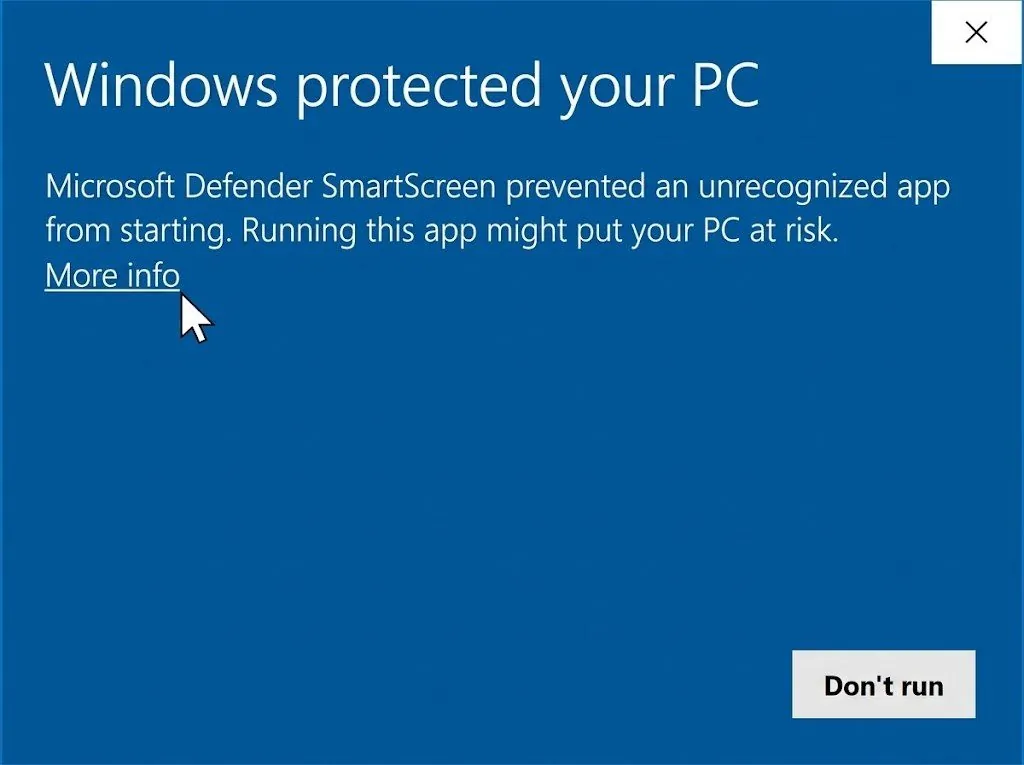
SmartScreen prompt (EV signing pending)
While our registered EV Code Signing certificate is in the CA issuance queue, click More info, confirm the file name is scena-studio-1.1.0-setup.exe, then select Run anyway.
-
3
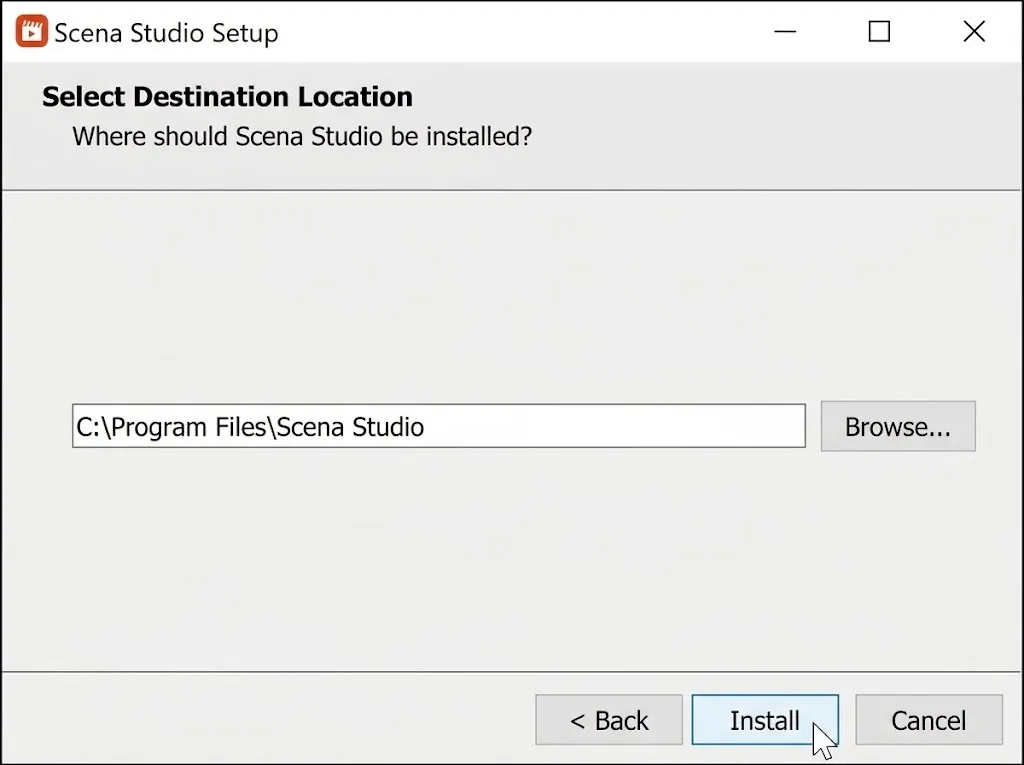
Install, then sign in
Leave the folder as it is and click Install. Scena Studio is free during Open Test. Use a configured API key to render. The provider can charge for usage on your own key.
Check it is genuine (optional)
✓ MD5 & SHA-256 VERIFIEDRun either command in PowerShell in your Downloads folder and compare the result with the MD5 or SHA-256 below. When the file downloads, its live hash is also calculated and reported right here.
Get-FileHash .\scena-studio-1.1.0-setup.exe -Algorithm MD5Get-FileHash .\scena-studio-1.1.0-setup.exe -Algorithm SHA256 Expected MD5 (.exe): 42fd1fb12135febdc092c67bd767d0b4 Expected SHA-256 (.exe): 92bb0dbbb532e5fe45b5e194cc3be9479b119519e6eb5deb8131822eafed0b69 ✓ Live download stream verified: scena-studio-1.1.0-setup.exe (53,292,569 bytes · +1 MB padded) — MD5 & SHA-256 match 100% MD5 & SHA-256 for every file