From script to shot list to finished episode: a production-tested AI video pipeline
Pasting a 600-word story into a 'text to video AI' box gives you either a stock-footage slideshow or a single 5-second clip where the character's face melts. Turning a real screenplay into a cohesive 6-minute episode requires an 8-stage desktop pipeline: shot-table breakdown, character reference binding, pre-flight BLOCK & Trademark rules, keyframe approval, overnight batch rendering, local GPU drift scoring, short-clip auto-stitching, and numbered NLE export.
 Alex MercerMaker of Scena Studio · AI Series Director
Updated
17 min read
Read in Vietnamese
Production pipeline verified on a 46-shot episode with dialogue, camera lens locks, and automated sequence stitching (November 2026).
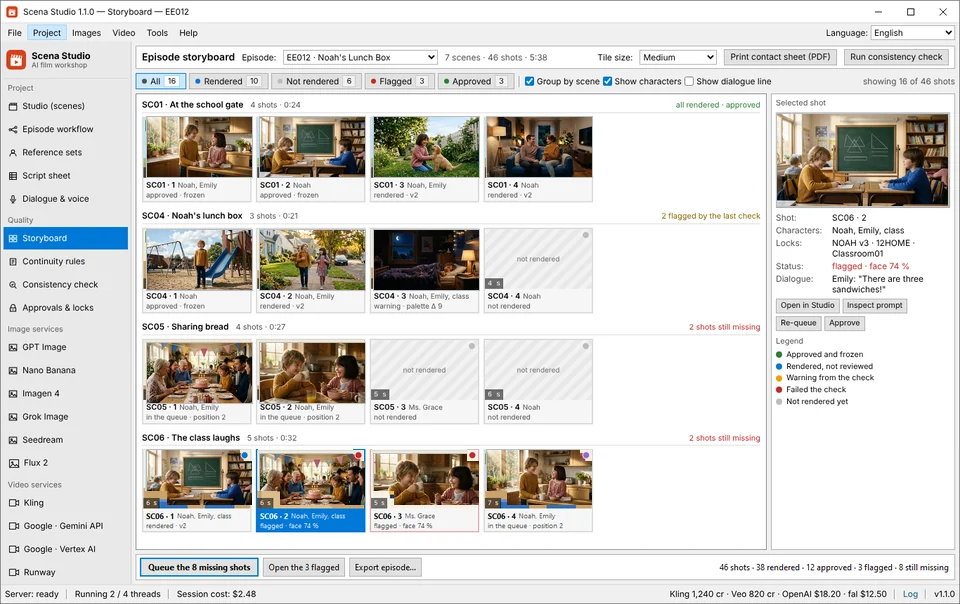

Short answer (Executive Summary): Do not feed whole paragraphs into a raw text-to-video prompt. Instead, split your script into a structured shot table where each row represents one 4-to-6-second camera beat with explicit Cast IDs (e.g., NOAH_09HOME,ARIA_01) and Set IDs (e.g., Kitchen01), run Scena Studio's pre-flight BLOCK and Trademark/Copyright checks so no incomplete or risky prompt wastes API money, approve first-frame stills for new angles, queue all 46 video jobs overnight across Kling 4.0 and Veo 3.1, and use the built-in Short-Clip Auto-Stitcher to bridge Last-Frame-to-First-Frame cuts at −14 LUFS.
1. Why raw 'Text to Video AI' generators fail when you feed them a real story script
Millions of creators search for script to video AI or free AI video generator from text hoping to paste a three-page story and download a Pixar-style short film. In practice, existing web tools fall into two broken extremes: either 'faceless stockassemblers' that slap generic Pexels B-roll over robotic TTS audio, or raw diffusion portals (Veo, Kling, Runway, Sora) that can only digest one 5-to-8-second camera beat at a time.
When you paste a multi-sentence scene into a diffusion model—for example, 'Noah walks into the kitchen, opens the fridge, pours a glass of milk, and asks his sister Emily where his backpack is'—the model tries to cram four separate physical actions into 5 seconds. The result is high-speed limb morphing, teleporting props, and unintelligible lip movement.
Real cinema grammar follows a strict rule: one shot = one clear visual beat + one camera lens + one speaker turn. A 4-minute animated episode is not one prompt; it is a sequence of 45 to 55 tightly locked 5-second shots that share the same cast references, room lighting, and audio bed.
- Action Compression Artifact: Asking a 5-second clip to perform more than one primary verb causes temporal warping and extra fingers.
- Dialogue Overrun: If a character's spoken line takes 9.2 seconds to read naturally, forcing it into a single 5-second generation cuts off the sentence mid-word unless split across a two-shot and a close-up reaction cut.
- Stateless Scene Amnesia: Without a structured shot table passing the Location Lock (
Kitchen01) and Wardrobe Lock (NOAH_09HOME) to every row, Shot 2 forgets what the room looked like in Shot 1.
2. Step-by-step: How to break a screenplay into a locked 46-row Shot Sheet
Inside Scena Studio's Script-to-Shot-List Editor, you can import a Fountain/Markdown screenplay, CSV spreadsheet, or plain-text story and automatically split it into numbered production rows. Every row in the shot table contains seven deterministic columns that govern how the API payload is constructed:
| Shot ID | Duration & Bridge | Set Lock | Cast & Outfit Locks | Camera & Lens | Model Route | Action Beat & Synced Dialogue |
|---|---|---|---|---|---|---|
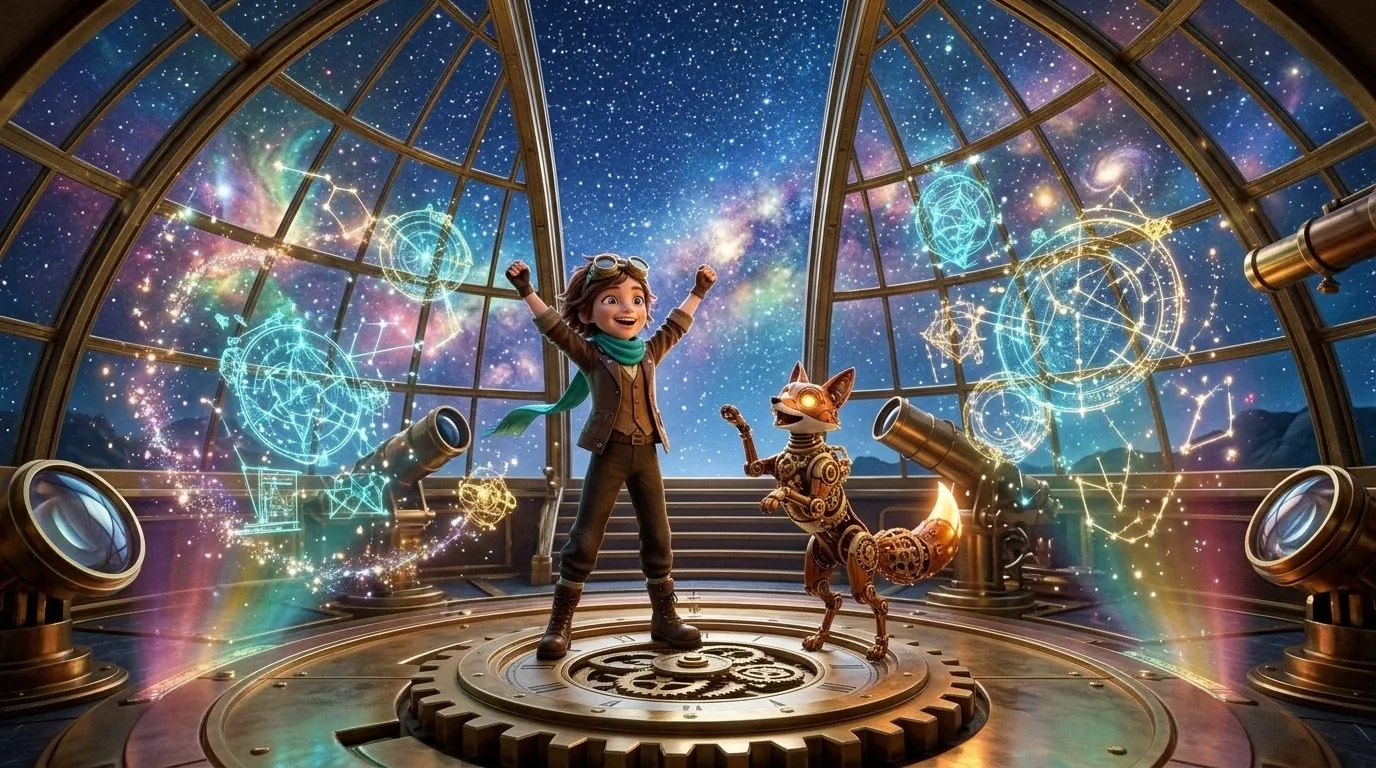
| 001_S01A | 6.0s · Fresh Start | AIRSHIP_01 | ARIA_01, PIKO_OWL | Wide 24mm · Slow Crane Down | Kling 4.0 Elements | Aria stands at the brass helm at sunrise; Piko lands on her shoulder. |
| 002_S01B | 5.0s · Last-Frame Bridge | AIRSHIP_01 | ARIA_01, PIKO_OWL | Medium Close 50mm · Eye Level | Veo 3.1 Ingredients | Aria adjusts her goggles and says: 'The compass is pointing straight into the canyon!' |
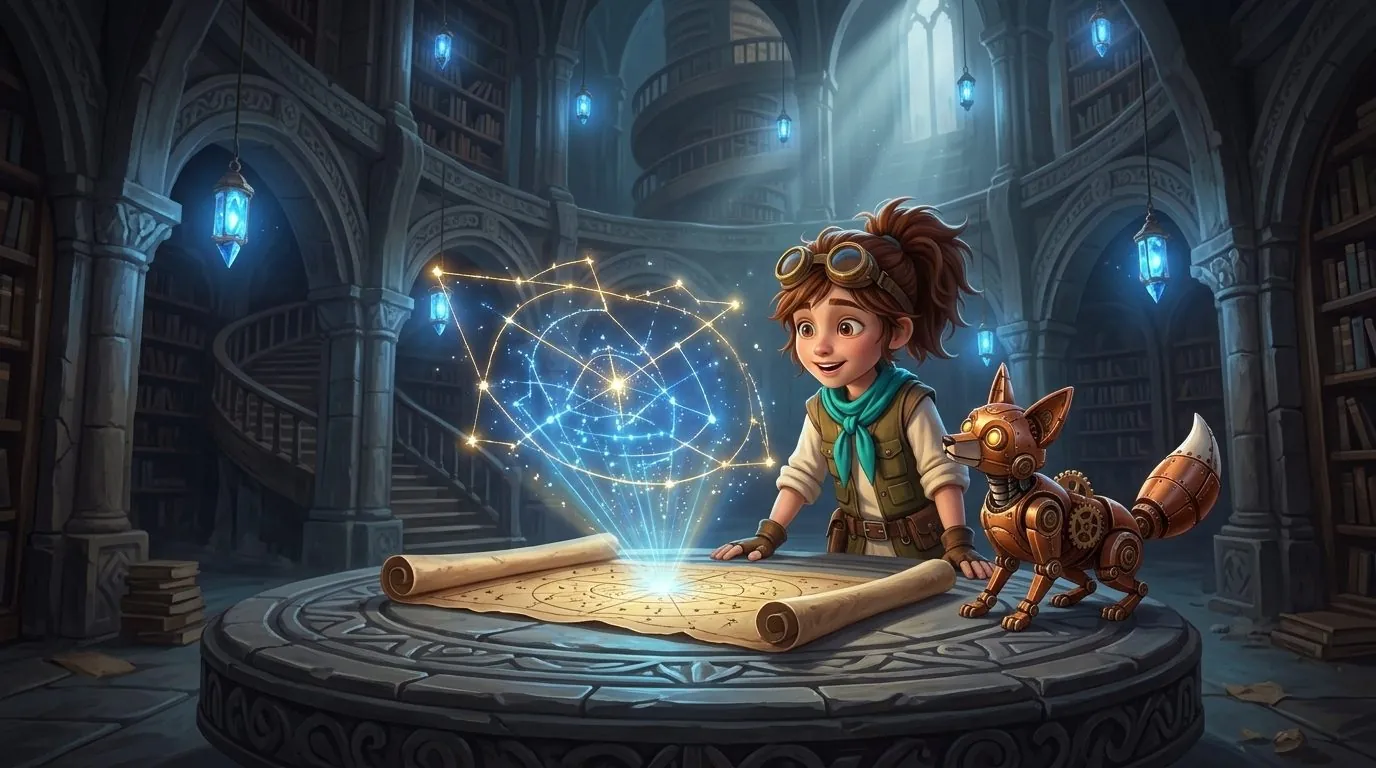
| 003_S02A | 6.0s · Cut to Interior | LIBRARY_02 | ARIA_01, PIKO_OWL | Medium Two-Shot 35mm · Dolly In | Kling 4.0 Elements | Aria unrolls the glowing star map across the oak table while Piko tilts his head. |
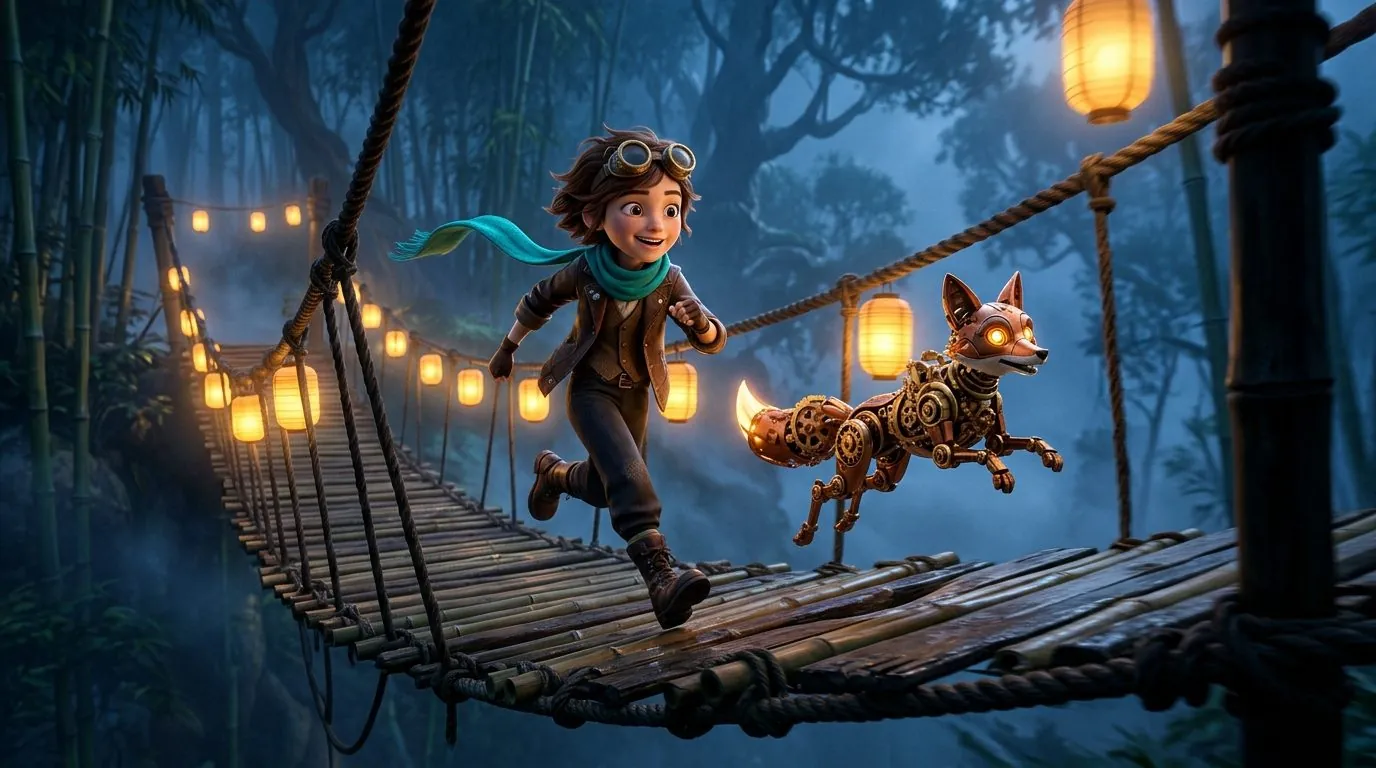
| 004_S03A | 6.0s · Cut to Exterior | BRIDGE_03 | ARIA_01, PIKO_OWL | Tracking Low Angle 28mm | Kling 4.0 Elements | Aria steps onto the swaying rope bridge through canyon mist, holding her lantern high. |

3. Catching missing references and Trademark (TM) risks before a single API cent is spent
The most expensive mistake in bulk AI video generation is starting a 50-shot queue, walking away for dinner, and returning to discover that Shots 22 through 38 rendered without your protagonist's winter coat reference attached—or contained a restricted trademarked term that makes the footage unusable on YouTube.
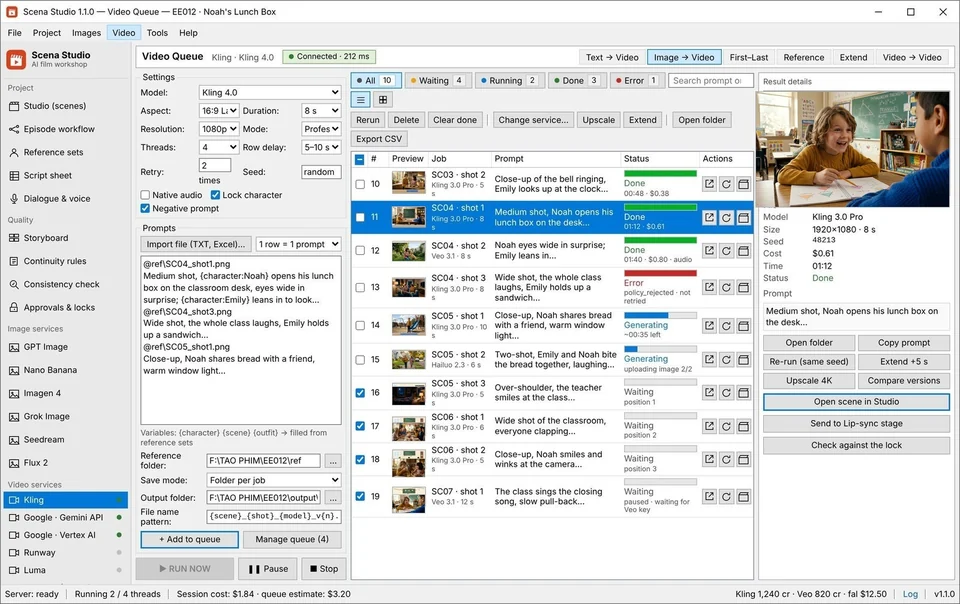
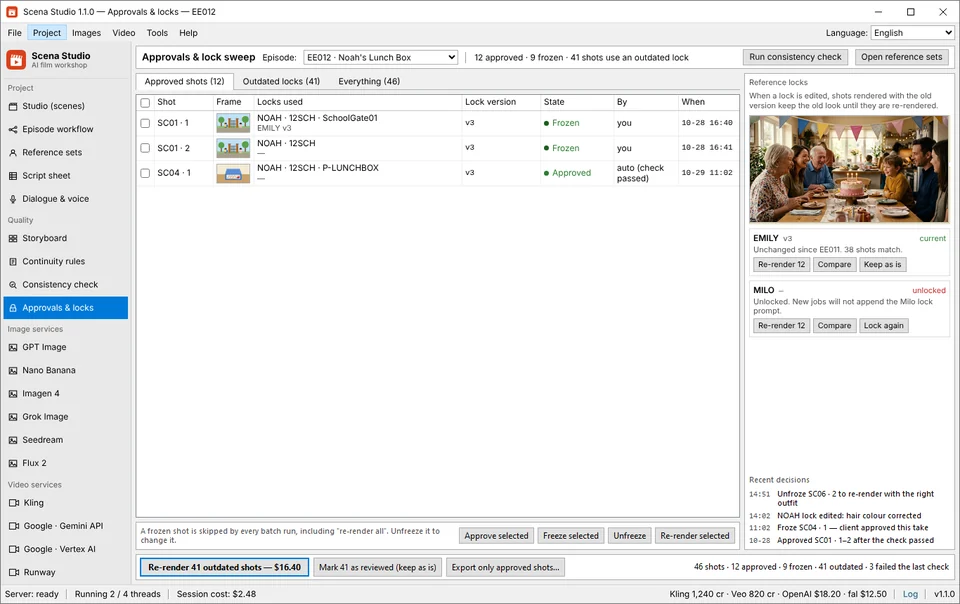
Before Scena Studio sends a single HTTP request to a cloud provider, its local Pre-Flight Continuity & IP Gatekeeper audits the entire 46-row table in under 40 milliseconds:
- Reference Binding Audit (
BLOCKRule 01): Scans every prompt and dialogue line for cast names. If the text mentions 'Noah' or 'Emily' on Row 34, but theNOAHorEMILYReference Pack is not attached to Row 34, the row is halted with a redBLOCK: MISSING_CAST_REFbadge. - Dialogue-to-Clip Duration Audit (
BLOCKRule 02): Calculates the exact phoneme duration of the TTS audio file attached to the row. If a line of dialogue is 7.4 seconds long but the video model is set to a 5.0-second clip, Scena Studio prompts you to either extend the shot to 8.0s or split the row into a 5.0s speaking shot + 3.0s listener reaction cut. - USPTO/WIPO Trademark (TM) & Copyright Pre-Scan (
BLOCKRule 03): Cross-checks all prompt tokens, character names, and visual reference plates against registered entertainment trademarks and copyrighted third-party mascots so your exported episode passes YouTube YPP and Meta Reels monetization checks on the first upload. - Deterministic Upfront Cost Lock: Calculates the exact dollar and cent total for all 46 rows based on each model's live per-second API rate before you click Run.

4. Auto-stitching 5s–8s clips with Last-Frame Bridges & exporting numbered cuts to Premiere, DaVinci, or CapCut PC
Once your overnight batch queue finishes and the local GPU consistency check verifies that all 46 clips score above 92% facial similarity, you have two ways to finish the episode:
First, you can run Scena Studio's built-in Short-Clip Auto-Stitcher directly inside the app. For continuous multi-part scenes, it uses Last-Frame-to-First-Frame conditioning so there is zero posture jump between 5-second segments, applies your Series 3D LUT, mixes the character voice stems with a continuous ambient room-tone bed at −14 LUFS, and outputs both a finished 16:9 4K YouTube Master and an auto-tracked 9:16 Vertical Meta Reels/Shorts Master.
Second, if you want fine-grained editorial control in Adobe Premiere Pro, DaVinci Resolve, or CapCut PC, Scena Studio exports a clean, sequentially numbered folder structure alongside an .fcpxml timeline and multi-language .srt / .vtt subtitle files—so you can drag the entire 46-shot episode onto your NLE timeline in three seconds without renaming a single file.
Episode_06_Export_Package/
├── 00_Masters_Monetization_Ready/
│   ├── Ep06_Master_16x9_4K_24fps_14LUFS_C2PA.mp4     # Direct YouTube YPP Upload
│   └── Ep06_Reels_9x16_1080p_SmartTrack_14LUFS.mp4   # Direct Meta Reels / Shorts Upload
├── 01_Numbered_Video_Shots/
│   ├── 001_S01A_Airship_ARIA_PIKO_kling30_98pct.mp4
│   ├── 002_S01B_Airship_ARIA_PIKO_veo31_98pct.mp4
│   ├── 003_S02A_Library_ARIA_PIKO_kling30_97pct.mp4
│   └── ... (004 through 046 sequentially numbered)
├── 02_Dialogue_Stems_WAV_48kHz/
│   ├── 002_S01B_ARIA_en_synced.wav
│   └── 002_S01B_ARIA_vi_synced.wav
├── 03_Subtitles_SRT_VTT/
│   ├── Ep06_en.srt | Ep06_vi.srt | Ep06_es.srt | Ep06_ja.srt
└── Ep06_Timeline_Premiere_Resolve_CapCut.fcpxml
Frequently asked questions (Production FAQ)
How do I turn a written script into an AI video episode without characters changing every shot?
Import your script into Scena Studio on Windows, break it into 4-to-6-second camera rows, bind each character tag (like NOAH or ARIA) to a locked Reference Pack, and let the batch queue inject those exact reference plates into every Kling 4.0 or Veo 3.1 API call.
How does Scena Studio stitch short 5-second AI clips into a smooth 6-minute video?
When two consecutive rows in your shot sheet belong to the same continuous action, Scena Studio extracts the final frame of Shot N and passes it as the First-Frame conditioning anchor for Shot N+1 alongside your character reference pack, while cross-fading room tone at −14 LUFS.
What happens if my internet disconnects or my PC restarts during a 60-shot overnight render?
Scena Studio stores every job's state in a local crash-safe SQLite WAL database on your SSD/NVMe drive. When your connection returns, the queue resumes from the exact shot that was interrupted without re-billing completed clips.
Can I export my shots directly to CapCut PC, Premiere Pro, or DaVinci Resolve?
Yes. Scena Studio exports sequentially numbered MP4 files (e.g., 001_S01A.mp4 through 046_S08C.mp4), separate 48kHz WAV dialogue stems, SRT/VTT subtitles, and an FCPXML timeline file that opens directly in Premiere, Resolve, and CapCut PC.
Is it better to generate keyframes first (Image-to-Video) or go straight from Reference-to-Video?
For brand-new camera angles or complex 3-character staging, generating and approving a First-Frame key still first (at $0.02–$0.04 per image) before running Image+Reference-to-Video reduces video re-renders from 25% down to under 5%.
Verified production sources & references
- Apple Final Cut Pro XML (FCPXML) & DaVinci Resolve Timeline Interchange Specification (NLE timeline export compatibility standard)
- SQLite Write-Ahead Logging (WAL) Crash Recovery Documentation (Local state persistence architecture used in Scena Studio's batch queue)
- Google DeepMind Veo 3.1 First-to-Last Frame & Ingredients Conditioning Guide (Frame bridging mechanics for seamless multi-shot sequences)
Update history: 4 Nov 2026 — Added 7-column Shot Sheet schema, 4-clip Aria & Piko sequence breakdown, Pre-flight BLOCK & TM rules, and NLE export directory tree. 28 Oct 2026 — First published.
How this guide was tested: Tested end-to-end on a 46-shot screenplay imported into Scena Studio on Windows 11, rendered overnight, and verified in both the internal Auto-Stitcher and DaVinci Resolve 19.
About the author · Alex Mercer
Founder & Lead Systems Architect · Scena Studio LLCAlex Mercer has spent 8+ years engineering native .NET / Direct3D desktop media pipelines and builds Scena Studio (a Windows 10/11 workstation launching in 0.3s at 45 MB idle RAM) while producing monetized 3D animated series across YouTube Partner Program ($5.40–$8.60 RPM) and Meta Reels. Every benchmark, prompt lock, short-clip stitcher rule, and Trademark/Copyright scan in this guide was verified on a live 46-shot production episode.
Studio & founder engineering dossier → Inspect SHA-256 & Security Trust Center →